Portable Pole
These instructions default to the one-piece Portable pole.
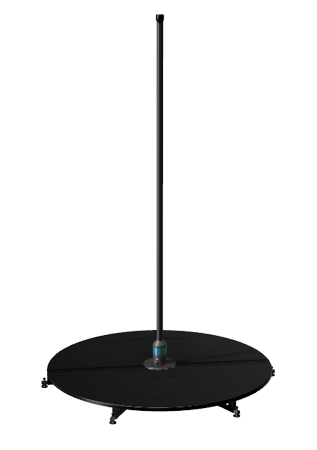

Specs
The PoleFX portable LED pole is designed to mount in the X-Stage Lite by X-Pole.
| Feature | Description |
|---|---|
| Diameter | 46mm |
| Power | 5VDC, 60W |
| Data connection | Ethernet |
| Mounting | X-Stage Lite by X-Pole |
Sizing

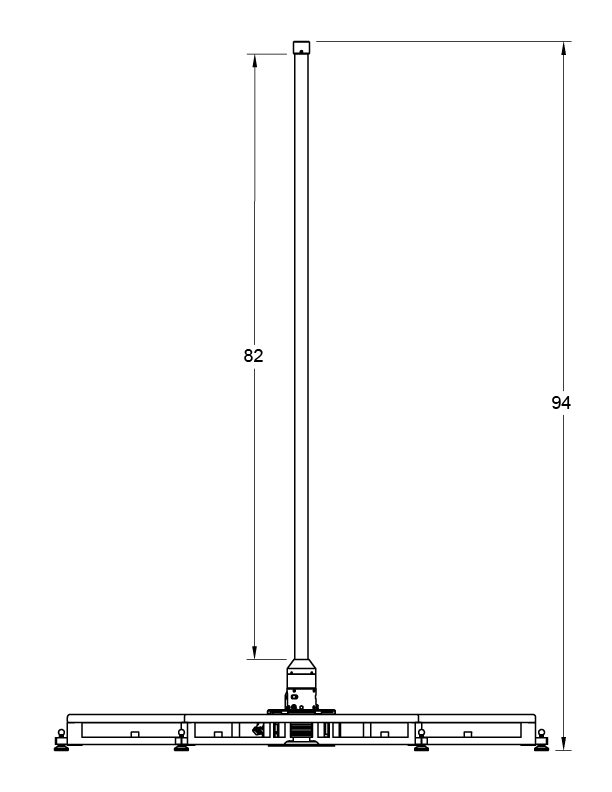
X-Stage Installation
Familiarize yourself with the stage’s normal operation.
Manual and Video
X-Stage Lite Manual
X-Stage Installation Video
Overview
Building on that foundation, we make a few modifications to the X-Stage to support the LED pole.
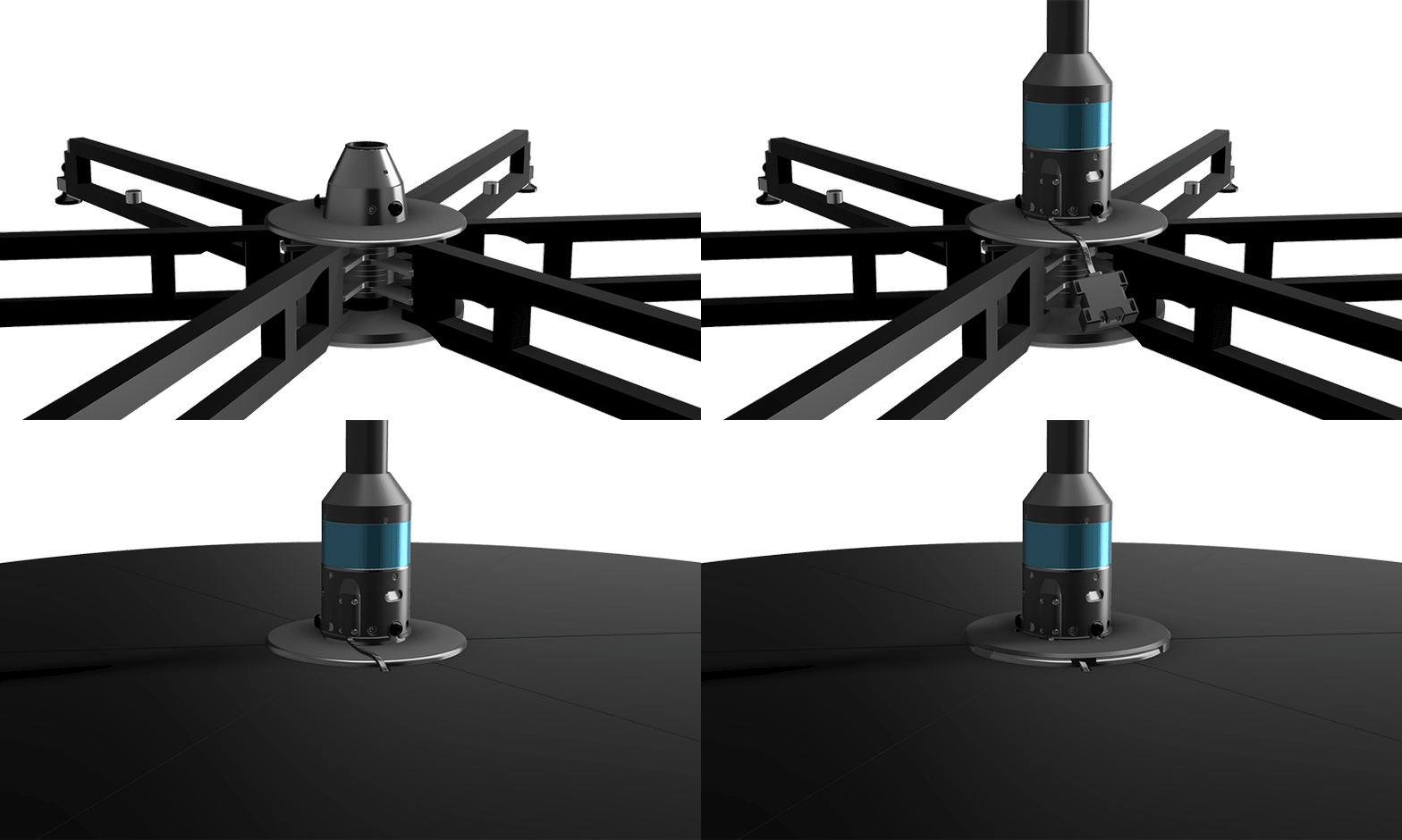
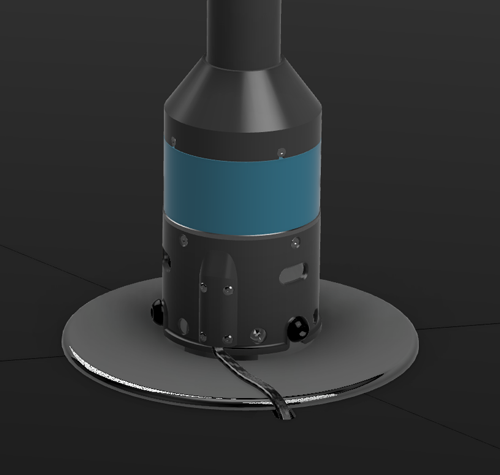
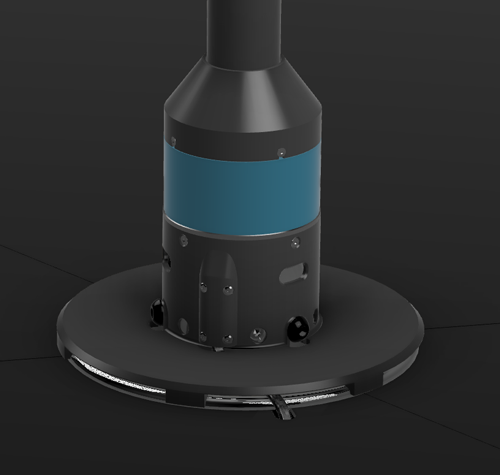
- A power and data cable connected to the bottom of the pole is routed through a notch created in one of the stage plates.
- Connections are made under the stage to a DC power supply and a PoleFX Player via ethernet.
- A cover is then positioned around the pole to protect the cable.
X-Stage Reminders
- Prior to every use, make sure the screws are tight.
- Do not lift or carry the X-Stage by the plates, this will damage the spring catch pins.
- Do not drag/slide the X-Stage, this will damage the rubber feet.
X-Stage Modifications
Bearing Unit Bolts
We provide three M10 button head screws to replace the stock set screws that fasten the bearing unit to the stage frame.
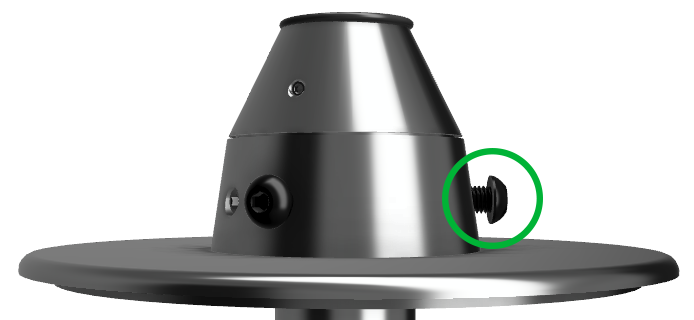
These bolts prevent the base of the pole and input cable from spinning.
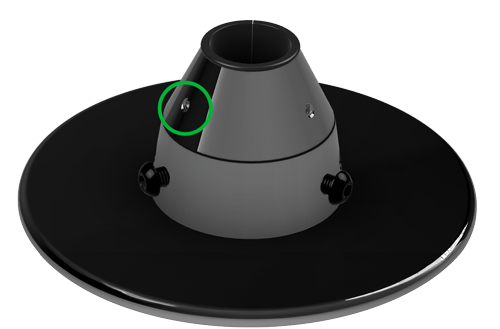
Pole Retaining Set Screw Replacement
The existing set screws that tighten into the pole are replaced with longer M8 x 1.25 mm thread, 16 mm long set screws.
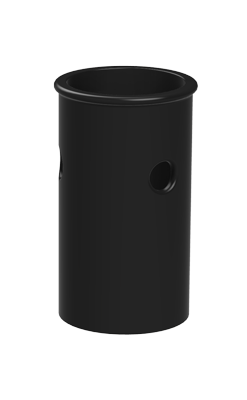
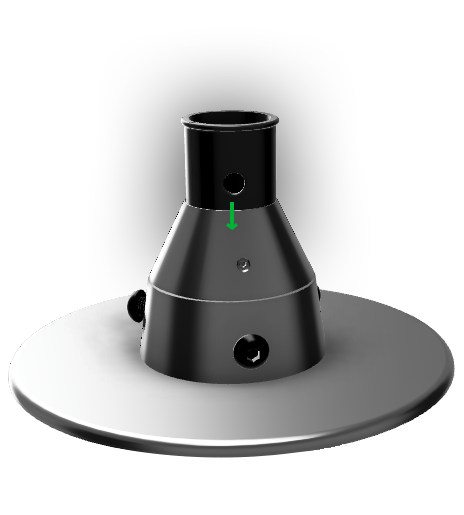
Bearing Size Adapter
The bearing size adapter is inserted into the bearing unit to adapt the 45mm (1.77”) bearing to the 1.5” diameter pole.
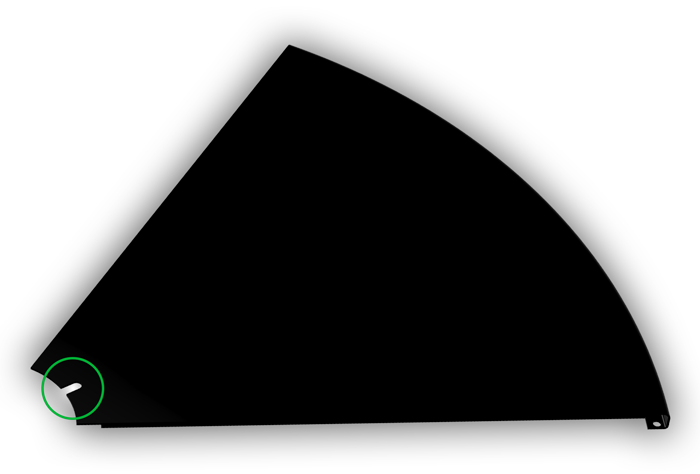
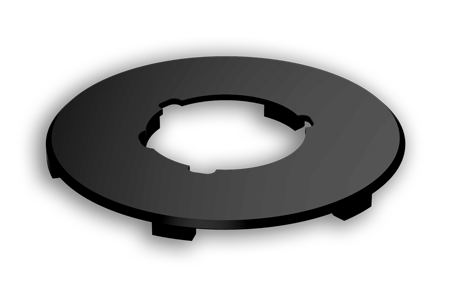
Floor Plate Notch
One of the floor plates requires a notch added to the inner edge to allow the pole’s cables to tunnel under the stage. Stages provided by PoleFX will already have this modification, and individual modified platforms can be provided.
Cable Cover
This cover protects the input cable in the exposed section between the notch in the stage plate and the pole.
Pole Setup
Stage Insertion
The pole seats in two places at once: the bottom of it drops into the bearing in the base of the frame, and the bearing unit around it drops into the carrier on the center plate. Both have to be right, and the second one has a number on it.
-
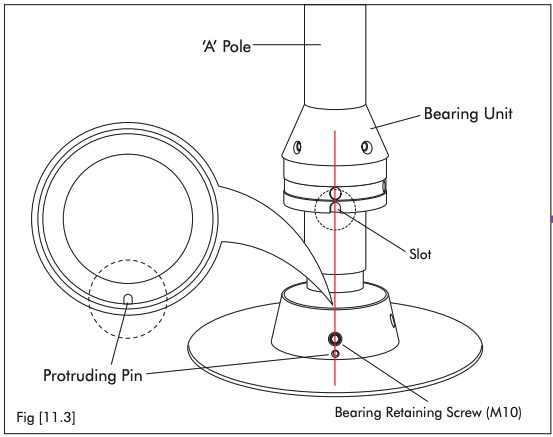
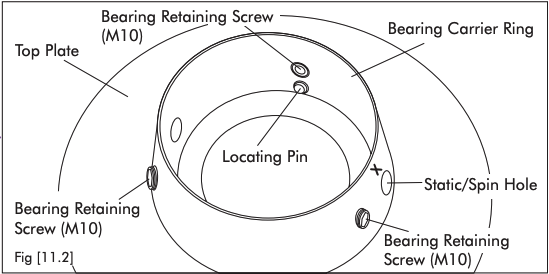
Line the slot up with the pin
Look into the carrier ring on the center plate: there is a pin sticking up. Look at the bearing unit on the pole: there is a slot in the bottom of it. Keep the pole vertical and slide the bearing unit down so the slot goes over the pin.
You should see The bearing unit drop the last few millimeters and stop turning. If it still turns freely, the slot has missed the pin.
-
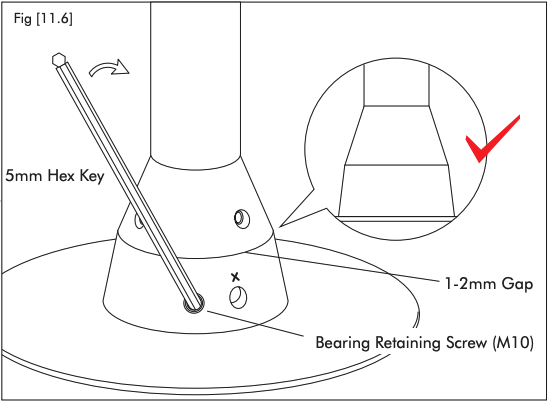
Check the gap before you tighten
Look at the joint between the bearing unit and the carrier from the side, at floor level.
You should see A gap of 0.04–0.08 in (1–2 mm). More than 0.12 in (3 mm) means the unit is not seated, and tightening on top of that is what bends things.
-
Tighten the three bearing screws
Use the 0.20 in (5 mm) hex key. Nip all three up lightly first, going round, then go round again and tighten them firmly.
You should see The bearing unit pulled down square in the carrier, with no rock in it.
Careful Get the key fully into the screw before you turn it. A partly inserted key rounds the socket out, and a rounded screw is one you cannot undo either.
-
Push down, then tighten the set screws
Press firmly down on the pole so the bottom of it is seated in the bearing in the base of the frame, and hold it there while you tighten the pole retaining set screws.
You should see A pole that does not lift and does not rattle sideways in the holder.
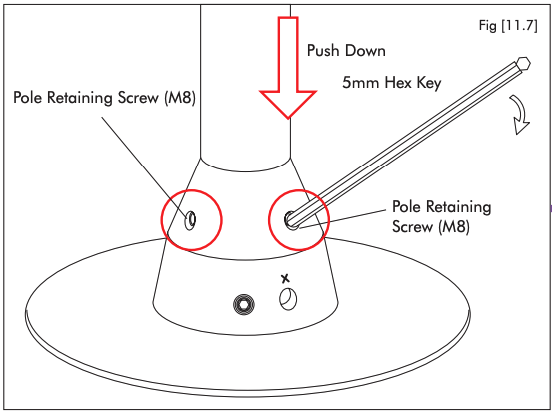
The bearing unit is down on the carrier and the slot is on the pin. Tighten from here.
Something is holding the unit up, usually the slot sitting on the pin instead of over it. Lift, turn the pole slightly, and lower it again.
The gap figures, the tightening order, and the hex key size are X-Pole’s, from figures 11.3 to 11.7 of the X-Stage Lite manual.
Input Connections
A power and data input are both required.
The power supply is 5V, 12A.
The data connection is a Cat5/6 network cable, to connect to a media server or PoleFX player.
Final Steps
When the pole gets power, it flashes at the ends to show it is booting.
If there is no data connection, it defaults to a static pattern.
Once the PoleFX Player boots, the pole will start animating.
Older two-piece Portable poles
The two-piece Portable is no longer offered for sale. These dimensions and coupling instructions are retained for existing owners. Follow the shared stage-insertion, input-connection, and final steps above as well.


Pole Coupling
For two-piece poles only
Electrical Connection
Remove the cable from the inside of the top section and plug it into the port in the bottom section.
There is not much slack so this is most easily done while holding the top section vertically in position ready to be inserted onto the bottom section.
Mechanical Connection
With the cable connected, carefully slide the top section into position. Be sure to align hex heads with the holes in the top pole section.
When the sections are aligned, tighten the two set screws in the pole coupling.
To remove the pole sections, loosen the set screws all the way and then tighten them back in one turn. This should allow the sections to be freed again.